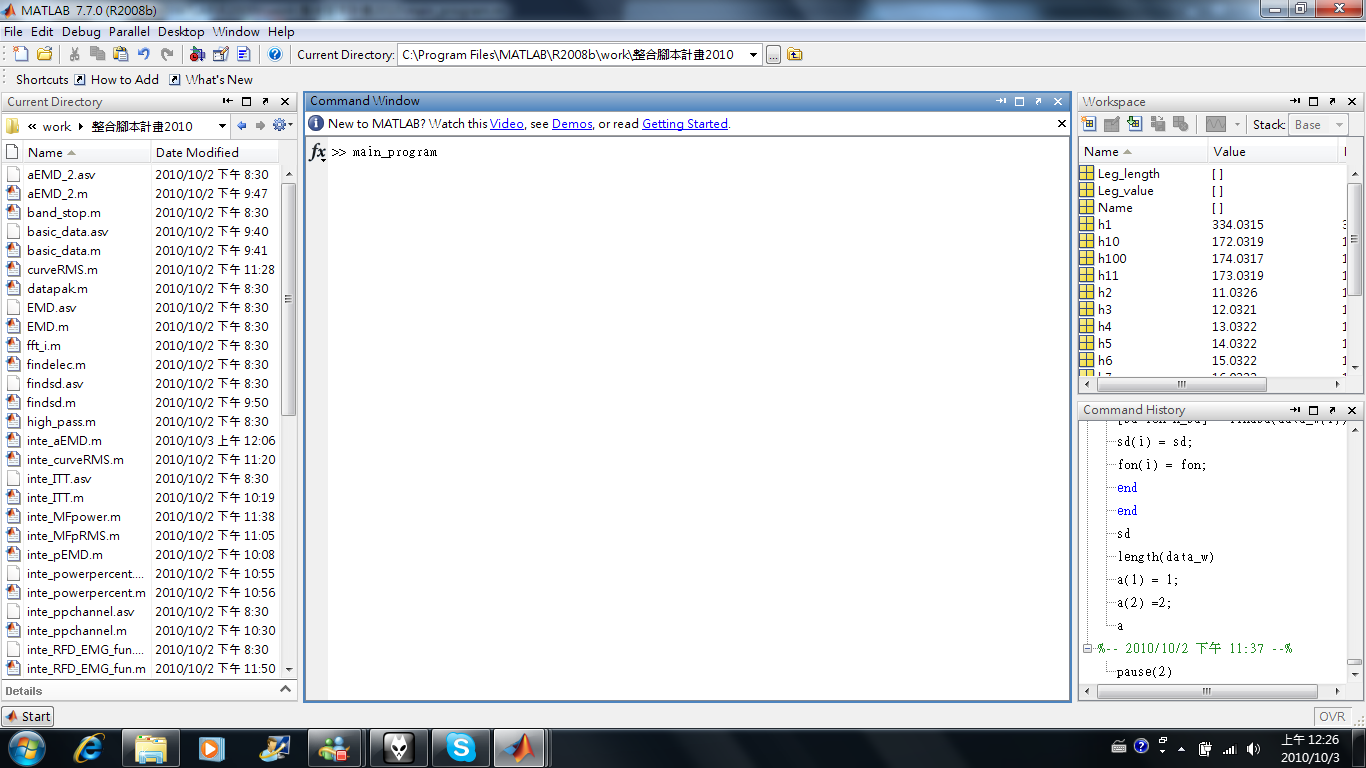
這原本是我三年前剛畢業的時候想要完成的計畫,但是一直都沒有時間完成。這次一來剛好利用這次要分析數據的機會,二來因為之前分析的數據實在太多了,多到我都記不得有寫過哪些程式,分析過哪些數據,所以藉此機會除了把它整合在一起外,順便將實驗室過去用到的數據整理起來。
檔案下載:
請按此 (密碼:同影印機)
以下為使用教學,我知道整個介面很醜,但是我實在很不喜歡修飾,等有空我再來修飾,功能可以用比較重要吧!
首先要先建立一個資料夾,這個程式的階層是這樣的:一個
主要資料夾(這邊我舉例的主資料夾名稱為
整合計畫test,裡面一定要自己設定一個叫data的資料夾),然後把同樣一隻腳的測試資料丟到data資料夾,這個程式會自動去尋找主資料夾裡的data資料夾,讀裡面的資料
主資料夾
- data
- xxxx
- xxxx
- xxxx
然後在matlab的command視窗打入main_program(記得上面的current directory要改成剛剛下載好的檔案存放的路徑)。
接下來就出現選單,可以選擇要計算的參數(還真多啊!)。
這裡我就示範全部勾選,一口氣用這兩筆做ITT的資料跑出全部數據!
接下來會出現一個視窗(我知道真的很醜!),可以填寫姓名,左右腳,以及腳長,主要是在最後輸出檔案的時候上面可以註明這個資料的主人,但是這僅限於第一次用,因為這邊的功能以及資料的寫入都是用附加的方式,所以只有在第一次跑的時候因為檔案尚未存在而會寫入這些基本資料(我知道我解釋的很難懂!)。
選擇剛剛自己建立的
主資料夾(此例就是整合計畫test),不要選到data資料夾!!
因為有些計算須要用到force onset,但是依我算了不算多的數據經驗發現,論文裡面所寫的用兩倍標準差當作開始根本就是一個理想,像我現在的例子就可以看到這個受試者居然在用力那瞬間力量突然往下掉(可能想利用stretch-shortening cycle的方式看可不可以力量大一點,所以先勾了一下),或者有些受試者在喊預備的時候就在那邊偷偷用力準備(這些不測風雲有時難以預測,有時候都不是當下可以發現到),所以這邊提供了輸了標準差的方式。
因為計算RFD以及RER須要換算成torque,所以都有勾選要計算這兩個參數的時候,就會出現要求輸入腳踝的長度(力臂)。
如果計算active EMD的話,會強迫重新輸入SD,至於原因則是
不能說的秘密!
中間會出現一大堆運算後的圖片,這些都可以在之後主資料夾裡面找到(圖中為,百分比MVC對於時間的變化率)。
如果有勾選curveRMS這個參數(主要是計算不同百分比MVC下,EMG RMS對時間變化的斜率),會發現突然停頓,這是因為計算RMS所需的時間較長。
這邊也會要求輸入RMS EMG的SD,原因跟force一樣。
劈哩啪啦跑完之後,可以發現主資料夾多了很多資料夾,以及有一個叫做
result.txt的檔案。
我們用一些文字編輯器或是notepad打開可以看到我們剛剛算的數據。
由於文字編輯器對於換格tab會因為字串長度不同可能無法對齊,導致看起來不是那麼好看,所以我們改用excel開啟看看。
由excel開啟之後,可以發現每個data都排排站站好。
而且每個參數都會把每次trial所計算的記錄下來(如果今天發生某次trial的值過於偏差,可以在此修改),以及這些trial的平均(有幾個檔案就用幾個平均,兩個檔案就兩個平均,三個就三個平均,一個當然就一個自己平均啦!真是太神奇啦!)!
然後我們打開資料夾看看,這邊是打開ITT資料夾,就可以看到這次所算的ITT圖以及結果。
當然如果要重算某樣參數也是可以,在不刪除result.txt的情況下,會自動把新算的數據直接附加到原來數據的最後,而資料夾裡面的圖片也自動被新的附蓋過去。當然如果想要重新跑的話,就把result.txt砍了就行了!
後記:
1. 這次的整合程式,主要的應用在我們做ITT的trial上面,也就是每次我都會跟受試者說要被電三次,我想如果都是照著這樣既定的protocol做的話,程式大多應該不會出現問題。
2. 我將原始檔案附在上面,希望大家使用上如果發生問題可以告知我(至少目前我的幾筆資料都是沒有問題),大家的反應才是可以把這個程式修改到好的原動力。
3. 這次有些程式我有改寫(變得比較精簡),然後整合程式撰寫我也是力求工整,這樣也比較利於之後如果有人想要增加新功能,新參數使用。
4. 有時間的話我再把他外觀弄得好看一點。
5. 最後,我該睡了!!
前言:改良自碩士班的原始版本,當初懵懵懂懂寫得很亂,現在以新觀念方法改造。

- Load File:開啟後選取圖片資料夾,資料夾內圖片會以[sort_name] = sort_file(path)排列,目的是將連續圖片排序,若是一般則以sort的方式(排列字母大小等)。但是當初因為自己的失誤把檔名寫成1.jpg, 2.jpg ….. 10.jpg, 11.jpg…..,經過排列後會變成1.jpg, 10.jpg, 11.jpg, ……, 19.jpg, 2.jpg, 21.jpg…..,因此才多寫若是檔名不一樣長,則以不同cell的方式將相同長度檔名放入排列(目前只有到十位數)。
- Sliderbar:會將sort過得file按照順序排列,提供一張張點選。
- position select:則是以sono_mousedown.m方式,將滑鼠點所點的點的座標顯示。
- Dist tool:以matlab內建的dist tool作用,不過目前沒有校正顯示的長度。
- Save Figure & value:將座標值存入table中,並且將點選好的圖片存入目前資料夾內,並且以[path new_filename] = changefilename(filename,add_word)改名(如:a_原始檔名)。改名之後,由於儲存圖檔的時候當初以plot方式所畫得十字記號無法存入,因此以[change_image] = draw_image(im,x,y)方式,將所選取的座標位置上下左右15個像素統統改成紅色(即變成十字)。
匯入座標資料於table,並且[cal_dist]=calcu_dist(ini_p,cal_p,dist_prop),依目前深度計算和第一點的距離。 
- Export:將資料匯出,內建以目前資料夾為匯出處,以[file,path]=uiputfile('.txt','Save file as',eval('[handles.path default_file]'))完成想要匯出的資料夾,預設以dist.txt作為預設匯出檔名。
匯出後以sonofilemerge(path,sonofile,distfile)自動和sono.txt檔案結合成stiff.txt(個人需要)。
這個東西我實在沒有時間好好的把他製作一番。
electroGUI V.0.0001(毫無意義版)界面介紹

- 開啟(以autochoosetype.m):目前內建可讀全部為數據的txt檔(以textread開啟),InstruNet(以readintranet.m開啟)所產生的.TXT檔(如:Ch1_Vin+.TXT),以及一般具有標頭檔案(以hdrload.m開啟)。
- 資料數據(以datacursor):則是可以點選圖形,顯示原始x,y資料點,如下圖:

- 選取範圍(以get_x_point.m):即點選圖形區域,目前規定要由左到右選取。如下圖:點選後按peak to peak即以所填入的放大倍率計算peak to peak amplitude。

若是資料選取順序錯誤,則會出現警告。

結論:
目前版本非常陽春而且bugs很多,待我有空有時間,在陸續修正並增加新功能,不過對於計算peak to peak amplitude目前來說應已經足夠。
今天我有一個檔案長得如下:
frame force angle
180.000000 25.907727 -96.707100
198.000000 52.657283 -97.686900
206.000000 79.306087 -97.134200
216.000000 105.920720 -96.028800
234.000000 132.531830 -95.501200
252.000000 159.259191 -95.023900
271.000000 185.936060 -94.496300
293.000000 212.583572 -94.194800
312.000000 239.251047 -92.586900
332.000000 265.956685 -91.506600
357.000000 292.655864 -91.556900
364.000000 265.886229 -91.255400
369.000000 239.255744 -91.582000
376.000000 212.594141 -92.813000
384.000000 185.939583 -92.586900
394.000000 159.297355 -93.215000
406.000000 132.574103 -93.390900
421.000000 105.981781 -93.943600
434.000000 79.340140 -94.747500
468.000000 52.674016 -96.104100
501.000000 25.987401 -97.360300
在matlab裡面一定沒有辦法用既有的textread讀取,因為第一行的文字!於是我寫個個跳過第一行的程式!如下:
function mat_a = get_to_mat(filename,l)
fp = fopen(filename);
current_l = 1;
while 1
    content = fgetl(fp);
    if current_l <= l
        tile = content;
        current_l = current_l +1;
    elseif current_l > l & ischar(content) == 1
        mat_a(current_l - l,:) = str2num(content);
        current_l = current_l +1;
    elseif ischar(content) == 0
        break
    end
end
fclose(fp);;
概念很簡單,就是輸入要跳過的行數,然後以行數來計算一行一行存成矩陣!但是這時候我又想到,剛好今天我這個檔案非常的小,行數也很短,如果我今天拿
上萬行的數據執行,執行到死都執行不完!。
百思不得其解後,google了許久,在matlab官方網站看到了有人分享的寫法:
function [header, data] = hdrload(file)


% HDRLOAD Load data from an ASCII file containing a text header.
%     [header, data] = HDRLOAD('filename.ext') reads a data file
%     called 'filename.ext', which contains a text header.  There
%     is no default extension; any extensions must be explicitly
%     supplied.
%
%     The first output, HEADER, is the header information,
%     returned as a text array.
%     The second output, DATA, is the data matrix.  This data
%     matrix has the same dimensions as the data in the file, one
%     row per line of ASCII data in the file.  If the data is not
%     regularly spaced (i.e., each line of ASCII data does not
%     contain the same number of points), the data is returned as
%     a column vector.
%
%     Limitations:  No line of the text header can begin with
%     a number.  Only one header and data set will be read,
%     and the header must come before the data.
%
%     See also LOAD, SAVE, SPCONVERT, FSCANF, FPRINTF, STR2MAT.
%     See also the IOFUN directory.


% check number and type of arguments
if nargin < 1
  error('Function requires one input argument');
elseif ~isstr(file)
  error('Input must be a string representing a filename');
end


% Open the file.  If this returns a -1, we did not open the file
% successfully.
fid = fopen(file);
if fid==-1
  error('File not found or permission denied');
  end


% Initialize loop variables
% We store the number of lines in the header, and the maximum
% length of any one line in the header.  These are used later
% in assigning the 'header' output variable.
no_lines = 0;
max_line = 0;


% We also store the number of columns in the data we read.  This
% way we can compute the size of the output based on the number
% of columns and the total number of data points.
ncols = 0;


% Finally, we initialize the data to [].
data = [];


% Start processing.
line = fgetl(fid);
if ~isstr(line)
  disp('Warning: file contains no header and no data')
  end;
[data, ncols, errmsg, nxtindex] = sscanf(line, '%f');


% One slight problem, pointed out by Peter vanderWal: If the
% first character of the line is 'e', then this will scan as
% 0.00e+00. We can trap this case specifically by using the
% 'next index' output: in the case of a stripped 'e' the next
% index is one, indicating zero characters read.  See the help
% entry for 'sscanf' for more information on this output
% parameter. We loop through the file one line at a time until
% we find some data.  After that point we stop checking for
% header information. This part of the program takes most of the
% processing time, because fgetl is relatively slow (compared to
% fscanf, which we will use later).
while isempty(data)|(nxtindex==1)
  no_lines = no_lines+1;
  max_line = max([max_line, length(line)]);
  % Create unique variable to hold this line of text information.
  % Store the last-read line in this variable.
  eval(['line', num2str(no_lines), '=line;']);
  line = fgetl(fid);
  if ~isstr(line)
    disp('Warning: file contains no data')
    break
    end;
  [data, ncols, errmsg, nxtindex] = sscanf(line, '%f');
  end % while


% Now that we have read in the first line of data, we can skip
% the processing that stores header information, and just read
% in the rest of the data.
data = [data; fscanf(fid, '%f')];
fclose(fid);


% Create header output from line information. The number of lines
% and the maximum line length are stored explicitly, and each
% line is stored in a unique variable using the 'eval' statement
% within the loop. Note that, if we knew a priori that the
% headers were 10 lines or less, we could use the STR2MAT
% function and save some work. First, initialize the header to an
% array of spaces.
header = setstr(' '*ones(no_lines, max_line));
for i = 1:no_lines
  varname = ['line' num2str(i)];
  % Note that we only assign this line variable to a subset of
  % this row of the header array.  We thus ensure that the matrix
  % sizes in the assignment are equal. We also consider blank
  % header lines using the following IF statement.
  if eval(['length(' varname ')~=0'])
    eval(['header(i, 1:length(' varname ')) = ' varname ';']);
    end
  end % for


% Resize output data, based on the number of columns (as returned
% from the sscanf of the first line of data) and the total number
% of data elements. Since the data was read in row-wise, and
% MATLAB stores data in columnwise format, we have to reverse the
% size arguments and then transpose the data.  If we read in
% irregularly spaced data, then the division we are about to do
% will not work. Therefore, we will trap the error with an EVAL
% call; if the reshape fails, we will just return the data as is.
eval('data = reshape(data, ncols, length(data)/ncols)'';', '');
簡單的說,這個程式先一行一行判斷是否為string
(if ~isstr(line)),然後在以
data = [data; fscanf(fid, '%f')];讀入數值資料,並且會以
[data, ncols, errmsg, nxtindex] = sscanf(line, '%f');(其中line是先讀入一行)去看ncols。
最後再把讀入的數值data資料用reshape的方式
(data = reshape(data, ncols, length(data)/ncols);)完成。速率的確加快許多。
今天試圖來做一個檔案處理,預備將我要的檔案形式讀入,我的檔案很簡單,如下:
name 腿長 腳踝長
SYC 47 19
YFT 41 13
ZJY 45 15
LSP 44 14
CCH 51 16
LIU 42 14.5
KMY 40 14
LC 41 13.5
LGP 46 15
CCL 40 13.5
CIC 49 16
ZKY 48 15
這是在記事本或是notepad顯示的資料,前面是姓名並且腿長和腳踝長中間以
'\t'做區隔。
我的目的是要將檔案如matlab中textread指令一樣,將資料讀入並以name Leg Ankle,三個陣列儲存,然後第一行不要。
clear all
fd = fopen('I:\Leglength.txt','r');
m = 1;
n = 1;
while 1
  if m == 1
    tile = fgets(fd);
    m=m+1;
  elseif fgets(fd) == -1
    break
  else
    content=fgets(fd);
    [name(n) Leg(n) Ankle(n)]=strread(content,'%s %f %f');
    n=n+1;
  end
end
fclose(fd);
想法非常簡單m=1單純就用在第一行,然後把第一行資料丟到title裡面去。其他就是[name(n) Leg(n) Ankle(n)]=strread(content,'%s %f %f');依照這樣格式丟入,然後如果讀到最後一行fgets(fd) == -1,則結束此程式。
執行後結果,以name來看
>> name

name =

'YFT'    'LSP'    'LIU'    'LC'    'CCL'    'ZKY'
哇哩勒,what happened??為啥麼只讀了3 5 7 9 11 13行,發生了啥事?百思不得其解,試了又試,情況依舊,於是我開始懷疑起
elseif fgets(fd) == -1,所以我把程式改寫成
clear all
fd = fopen('I:\Leglength.txt','r');
m = 1;
n = 1;
while 1
  content = fgets(fd)
  if m == 1
      tile = content;
      m=m+1
  elseif ischar(content) == 1
      [name(n) Leg(n) Ankle(n)]=strread(content,'%s %f %f');
      n=n+1;
  end
  if content == -1
      break
  end
end
fclose(fd);
果不其然,這次完全沒有問題
>> name

name =

  'SYC'    'YFT'    'ZJY'    'LSP'    'CCH'    'LIU'    'KMY'    'LC'    'LGP'    'CCL'    'CIC'    'ZKY'
那也就是說,把
elseif fgets(fd) == -1當作判斷句的時候,程式就會讀了一行,所以在跑之後的[name(n) Leg(n) Ankle(n)]=strread(content,'%s %f %f'),所讀到的就是下一行檔案內的東西!